Export and diagnostics settings
Export defaults
In Settings > Export, choose the default folder structure and filename-collision policy for project exports. You can still review these options each time you export.
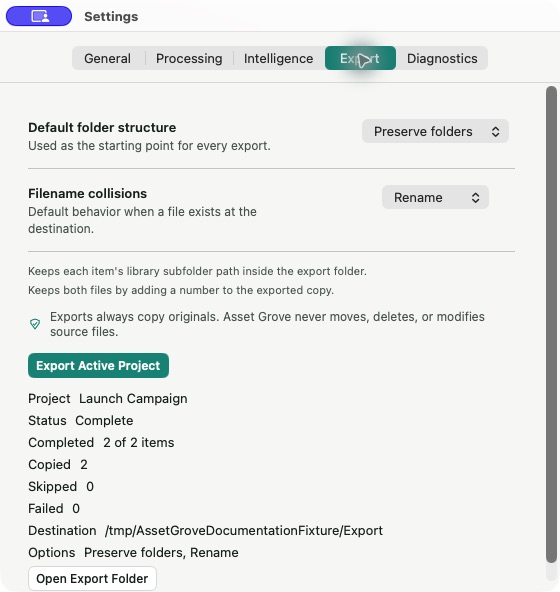
Use the active-project export action to start a delivery directly from settings when a project is selected.
Diagnostics
The Diagnostics pane can create a local diagnostic export to help describe app state. Creating it does not upload anything.
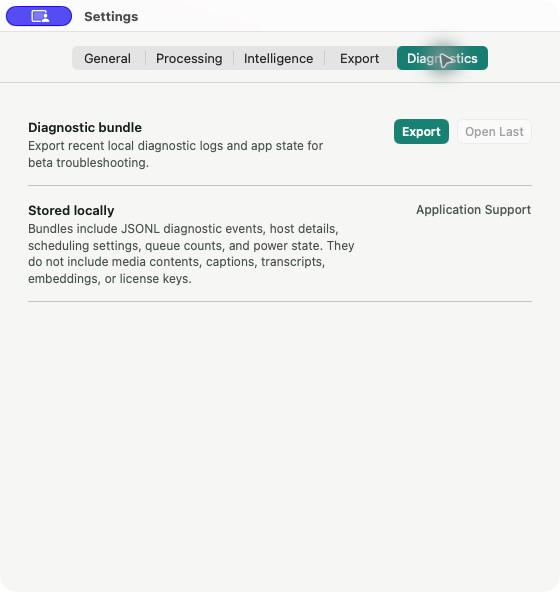
Treat the bundle as private. Keep it on your Mac unless Asset Grove support explicitly asks for a specific safe artifact under the current support policy.
Never send source media, search history, captions, transcripts, local paths, sign-in links, access tokens, passwords, recovery codes, payment-card data, or private keys in a support message.
For the current contact process, see Contact Asset Grove support safely.