Use the Inspector
The Inspector explains the focused item without changing your multi-item selection.
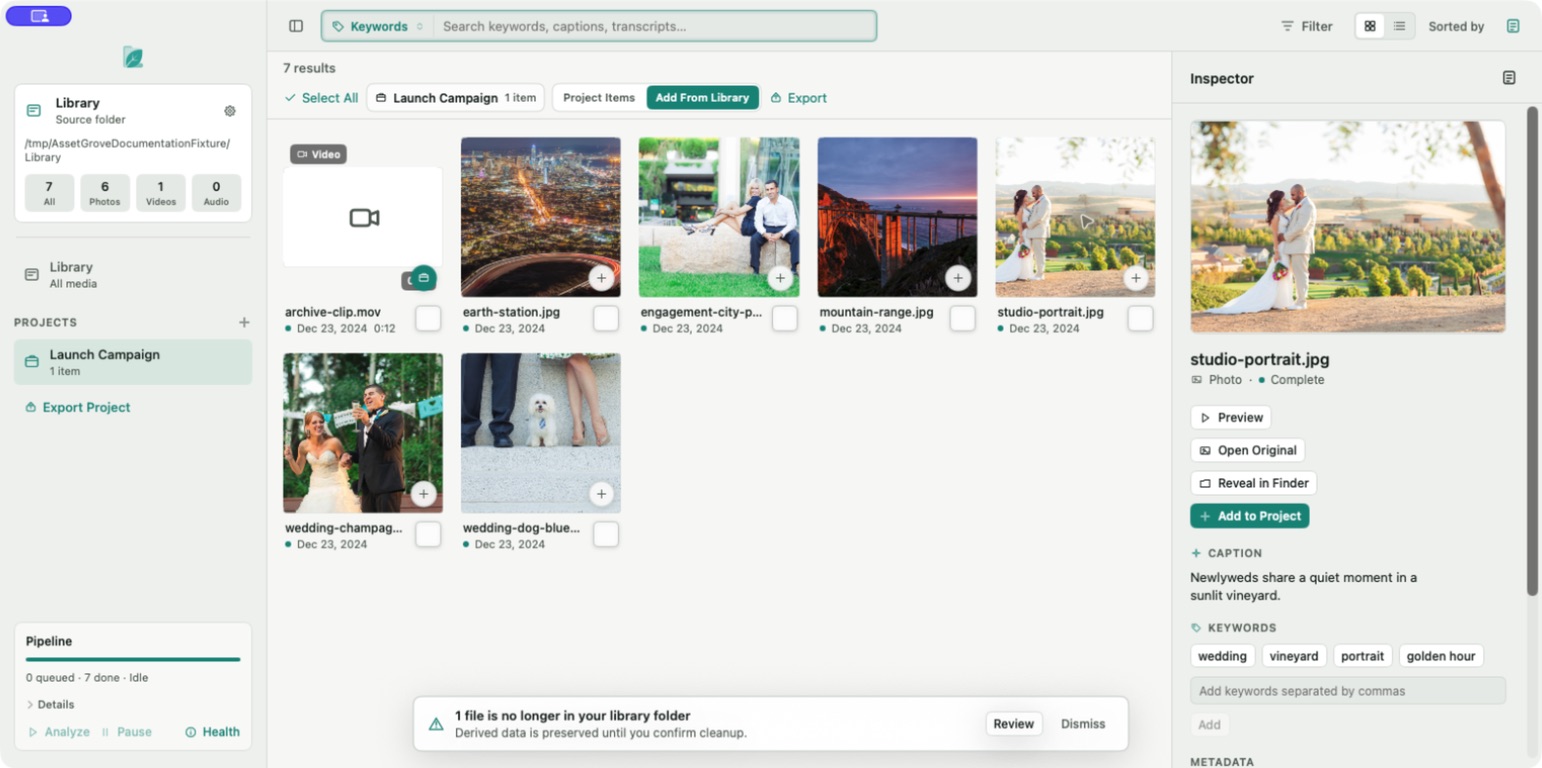
Select Inspect on a tile or open the Inspector from the toolbar. Depending on the media and analysis state, it can show:
- Preview and filename.
- Local caption and suggested keywords.
- Speech transcript with timestamps.
- Why the item matched the current search.
- Capture date, dimensions, duration, camera, file size, and path information.
- Your own keywords.
- Preview, Open Original, and Reveal in Finder actions.
Selection versus focus
Checkbox or multi-select state controls project and export actions. Inspector focus controls the single item shown in the right panel. You can inspect one selected item without losing the rest of the selection.
Original-file actions are unavailable when the drive is offline or the original is missing. Restore access, then rescan.